 Katalon
Collections
Catalogue, manage and publish collections
Katalon Collections is open-source software for museums, collections, archives and libraries. With Katalon Collections you can catalogue your holdings, link objects to people and places, and manage the associated media. The collection portal lets you make selected holdings publicly accessible.
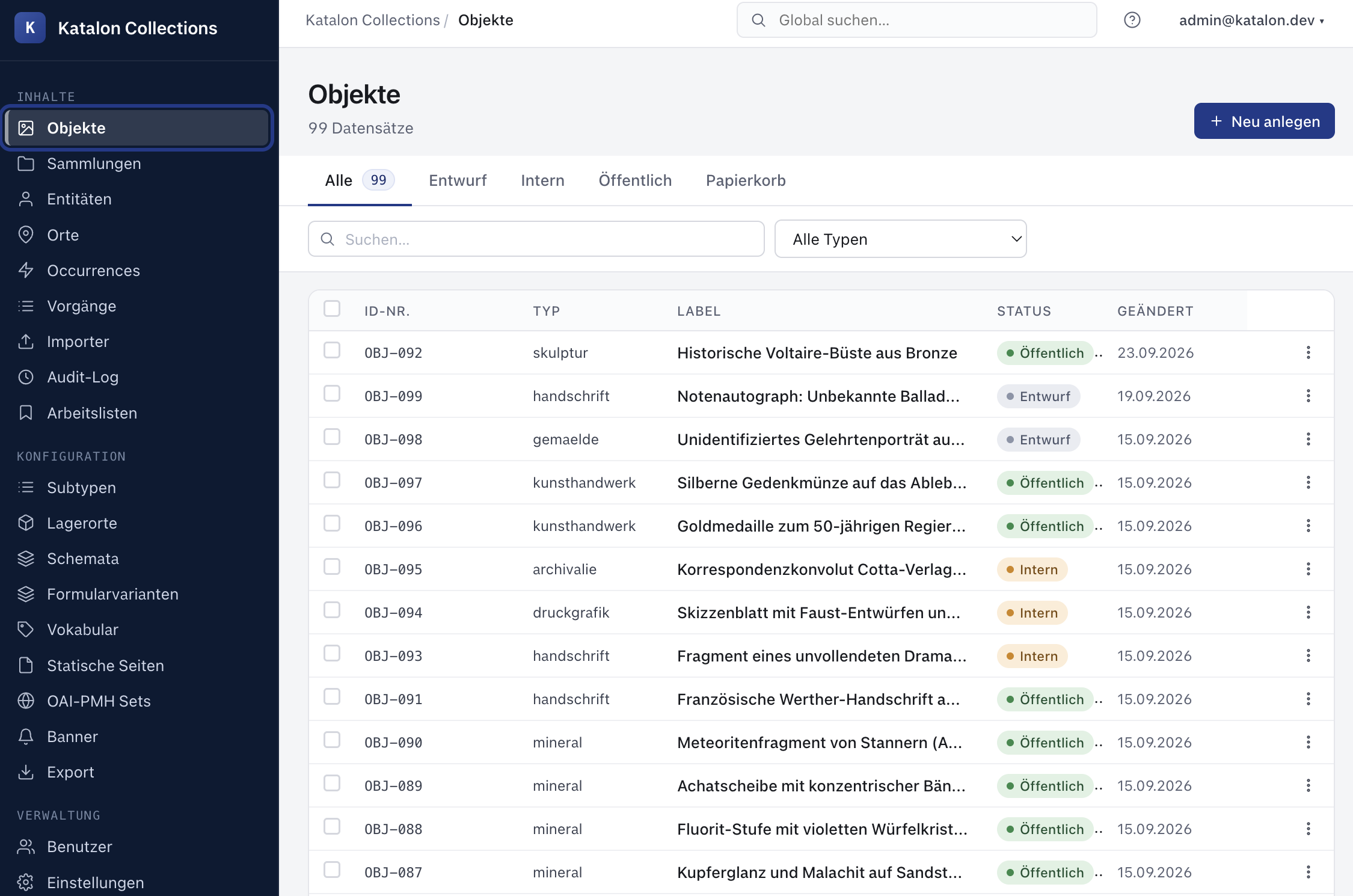
Try the cataloguing interface: sign in with
demo@katalon-collections.de and the password
katalon-demo26. You can create and edit records and
upload images. The demo is reset to its initial state on the hour
and on the half hour.
Is Katalon Collections right for your collection?
Is your collection currently spread across Excel files, an older database or several separate tools? With Katalon Collections you manage descriptions, images and the relationships between your objects in one place.
A museum object collection, a photographic archive or an academic teaching collection: cataloguing follows the information that matters for each collection. You decide which information belongs to a record and set up the matching fields and form variants.
You don't need a public portal for internal work. If you want to publish your holdings, you decide which information appears there. Cataloguing and portal use the same data, so there is no double maintenance. Getting started may involve migrating existing data and configuring the system; ongoing operation requires technical support (server updates, making sure backups work, etc.).
Four core types & extensions
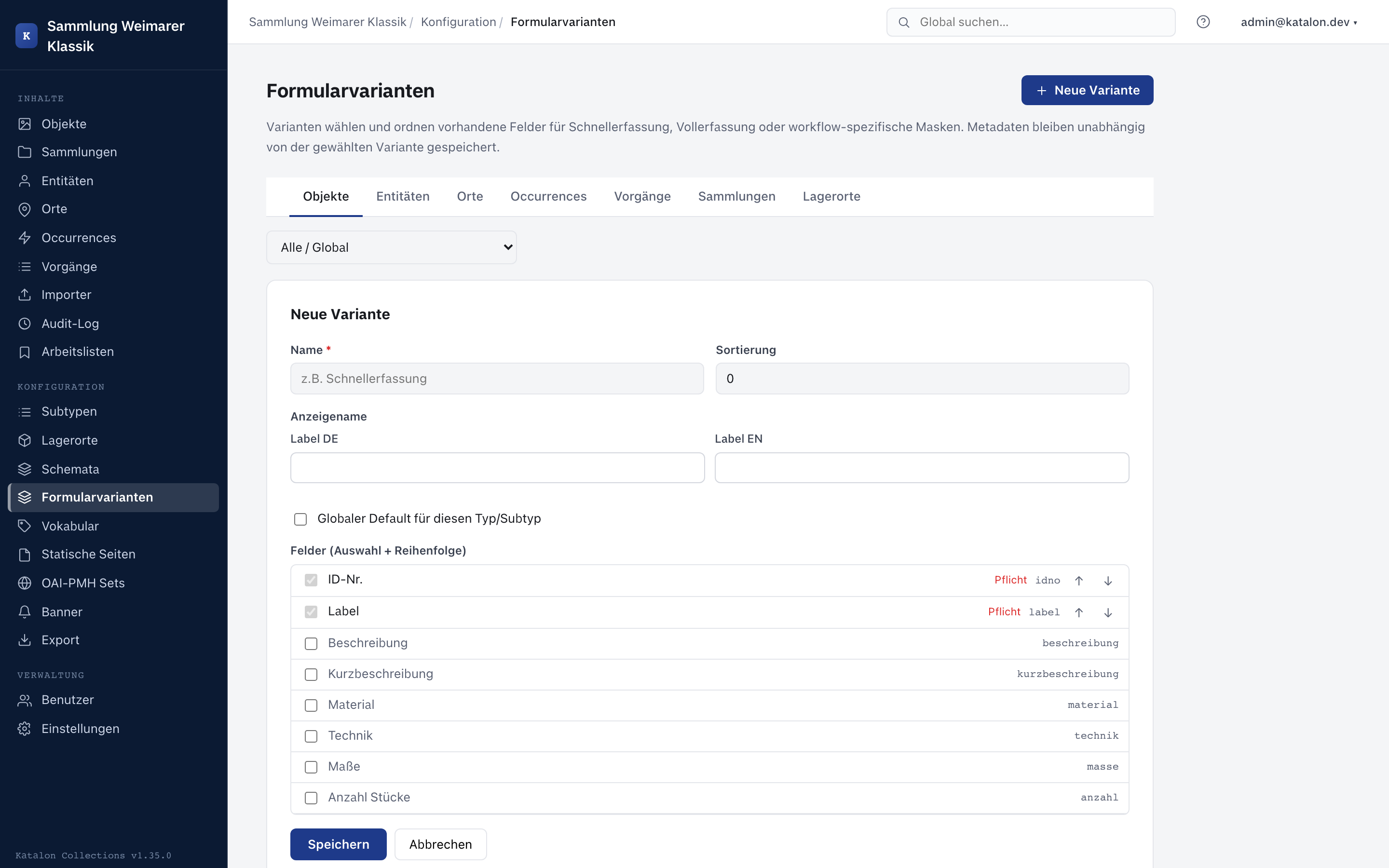
A photograph comes with a photographer, a place where it was taken and a collection it belongs to. You map these relationships with the four basic record types. You decide which fields they contain, whether information is mandatory or repeatable, and what the fields are called in different languages. You can also adapt the input forms to each role and tailor them to specific cataloguing tasks with form variants. In addition, there are collections, procedures and storage locations.
Objects
Photograph, document, painting – physical or digital artefacts.
Entities
Photographer, publisher, institution – people and organisations.
Places
District, building, region – geographic places.
Occurrences (events/works)
E.g. compositions, exhibitions, publications.
Collections
Sub-collection, group of items, bequest – curatorial and historical structures.
Storage locations
Store, room, shelf, compartment – internal and nested to any depth.
Procedures
Loan, acquisition, conservation – procedures concerning the collection.
Relation fields such as “Author” or “Place taken” link records to each other in both directions, and you define which type a field points to. For the kind of relationship, you maintain your own vocabulary. The graph below shows an example of how these links fit together.
Schematic example: Goethe was active in Weimar and created Faust. A manuscript of the work is located in Weimar, belongs to a collection and is linked to a storage location and a conservation procedure. Relationships always work in both directions, and you define their labels. This lets you model very complex relationships between objects, entities, places and events/works.
What Katalon Collections offers
Schema, subtypes, forms
Cataloguing offers fields for text, dates, numbers, geodata, vocabularies, links, URLs, authority data and yes/no values. Fields can be validated, given default values, marked as mandatory and grouped (container fields). For each record type you decide which fields are repeatable or multilingual, and use subtypes and form variants to show the fields that fit the cataloguing situation.
Relations & vocabularies
Relationships document how records belong together. You can create your own relation fields with a relation vocabulary. Other controlled vocabularies of your own can be hierarchical. Information from linked records is then also available for display and search in the portal.
Authority data
Authority search is built into the cataloguing form. There you can pick matching entries from GND, GeoNames, VIAF, Wikidata, Getty TGN and ICONCLASS and link them to your data. Further sources can be added as plugins via additional adapters.
Media
Images are linked to their object data. The built-in IIIF image server lets you zoom in directly in the browser, for example to examine details of a digitised item. You can also include videos, PDF, audio and 3D objects in GLB and glTF formats.
Search, work lists, bulk editing
Full-text search and filters help you find the records you need and collect results in personal or shared work lists. From there you can select several entries and edit them together. You decide in the admin area which filters are available.
Import & standards
The import wizard guides you through importing from CSV, Excel, XML (including exchange formats such as LIDO) and JSON. Along the way you can clean up values, create fields and check the result in advance. Vocabularies can be imported too. For export you set up mappings to Dublin Core, LIDO or METS/MODS; a REST API and OAI-PMH complete the data exchange.
Permissions, roles, change log
Roles define who may edit which data. The change log records what was changed in a record. For work where nobody else should make changes at the same time, you can set a lock with a reason, which an admin can lift again.
Public portal
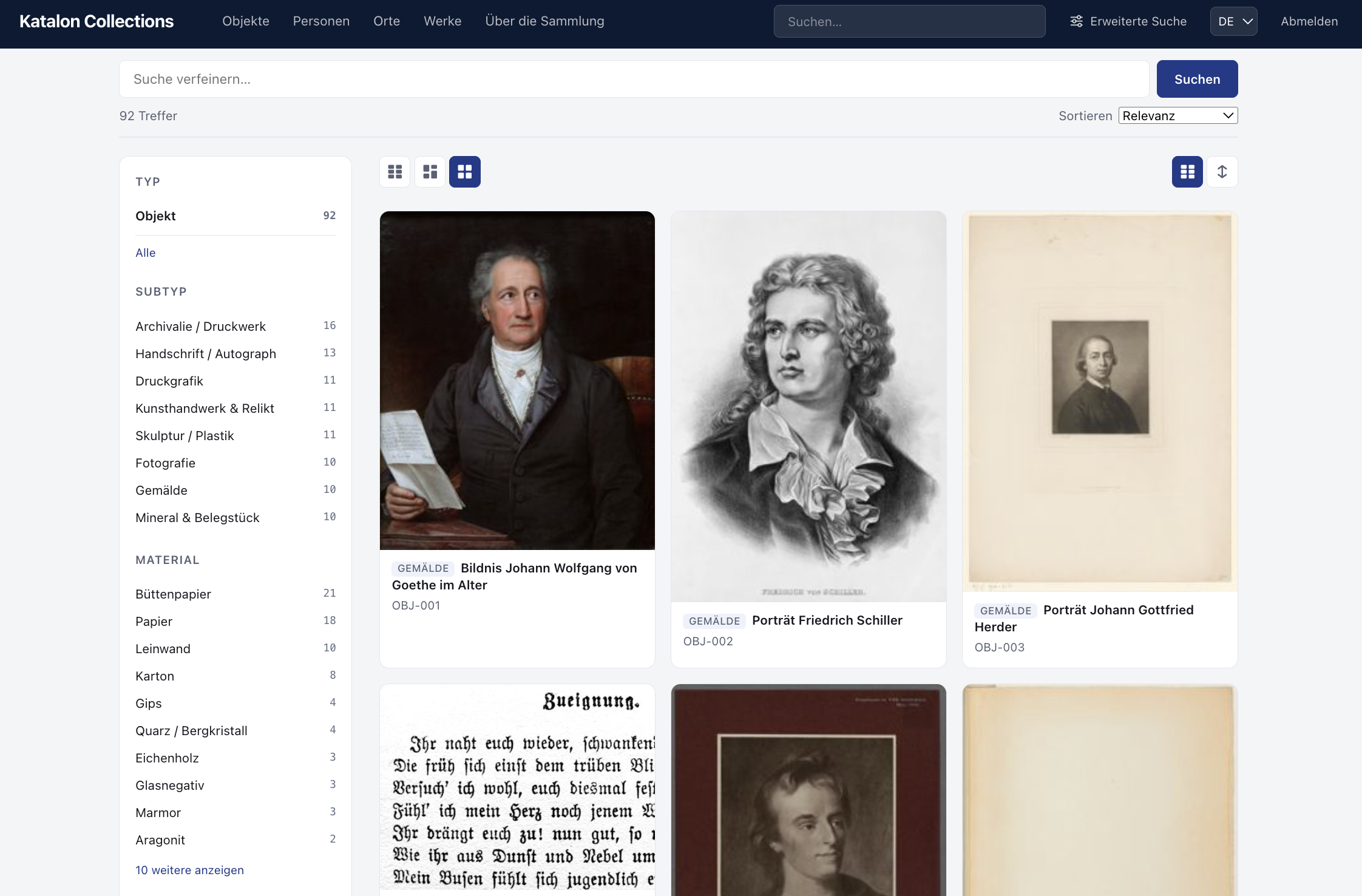
The portal presents your collection online. You configure the home page freely. Visitors narrow down results with filters and full-text search (global and per type), click together an advanced search from individual conditions and browse results in several views. Every object, place, occurrence and entity has its own detail page that shows metadata and media and links to related records.
Editorial portal content
A public portal also needs information about the collection itself. You can create your own pages, such as an introduction, FAQs or a legal notice, and publish current announcements as banners.
Your own look
You adjust the accent colour, logo, texts and a few other options yourself, without programming. A custom theme gives you more design freedom: with CSS skills you can add it as a drop-in bundle.
Storage locations & procedures
You can set up storage locations for your objects hierarchically. With procedures you document processes such as loans, acquisitions, conservation and deaccessions and link them to the holdings concerned.
Linked data, if you want it
For reuse as linked data, JSON-LD and RDF based on CIDOC CRM and LRMoo are available. An optional SPARQL endpoint lets you query relationships across several record types – this feature has to be enabled explicitly and requires some setup.
Optional AI assistance
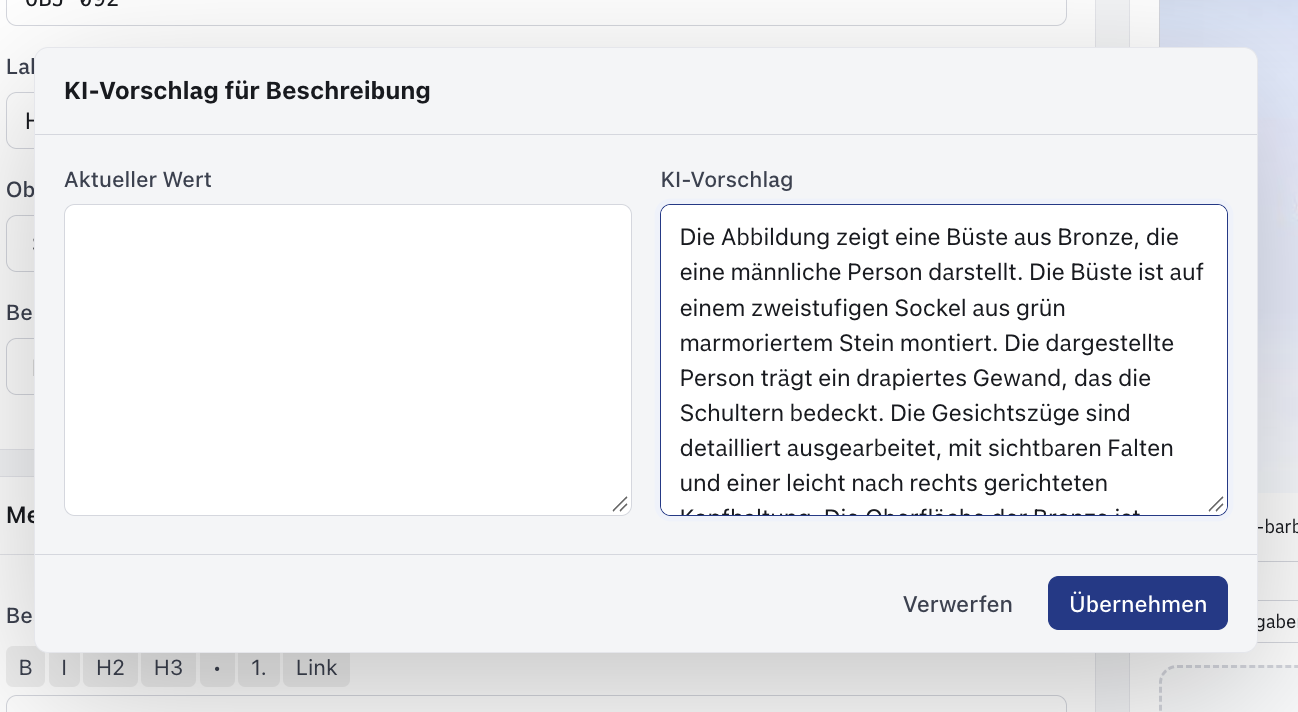
While cataloguing, you can have content for individual fields suggested or translated. If configured, the AI can take other fields of the same record into account. Katalon Collections marks suggestions adopted unchanged as AI-generated. There is also an assistant for setting up the data model: from your description of the information you need, it drafts a suggested input form.
You decide whether to accept, revise or discard a suggestion.
The AI features are optional. As an admin you decide whether they are available and can limit usage with a token budget per user. Katalon Collections also works entirely without AI. Any OpenAI-compatible API endpoint with your own API key is supported, including many local models.
Standards for collections management and data exchange
Spectrum is a widely used international standard for collections management and describes procedures for acquisition, movement, care and disposal. In Katalon Collections you can catalogue holdings, assign access rights and manage locations. For this you use the data model, roles, the change log and links between records.
For displaying and reusing images, Katalon Collections supports IIIF. Metadata can be provided via OAI-PMH; for output you can set up mappings to Dublin Core and LIDO. For linked data output, Katalon Collections supports mapping to the CIDOC CRM and LRMoo models. The optional SPARQL endpoint lets you query the linked data.
Current status and next steps
The following extensions are planned or in progress:
Digital exhibitions
An editor for digital exhibitions in the portal is planned. It will let you combine objects, places and other records into an exhibition.
IIIF annotations
Annotations directly on the image will first support internal work. Later, this option is also planned for the public in the portal.
Portal & publishing
Planned for the portal: better search engine visibility, usage statistics and public user accounts.
Installation profiles
Ready-made data models will make getting started easier, for example for museum holdings or photo collections. You will be able to pick a suitable starting point and adapt it to your own collection.
Extended export for long-term digital preservation
Export as BagIt with METS/PREMIS is already available. Planned are additional storage targets on the server (SFTP, S3, REST) and automated exports of multiple records.
More notifications
So far there are emails for password resets and for the results of imports or bulk edits. Reminders about due procedures and assigned work lists are to follow.
Is Katalon Collections right for our collection?
Can I import existing data?
Yes. The import wizard supports CSV, Excel, XML (including exchange formats such as LIDO) and JSON. You map the fields and check the result in a preview before confirming the import. For data from Access or a legacy system, you first need an export in a suitable format. How much work the migration takes depends on how consistent the data is and on mapping relationships and media. A trial import with a small part of the collection helps you estimate the effort.
Which media can I display?
You can zoom into images directly in the browser with IIIF. Katalon Collections also supports video, audio, PDF and 3D objects in GLB or glTF format.
How much can I customise without programming?
The idea is that you can set up everything you need to adapt the system to your requirements, such as fields, subtypes and form variants, directly in the cataloguing interface. No programming skills are needed. This is how you adapt cataloguing to your holdings and choose the fields for each input form. Further changes to the portal's appearance are possible with a custom theme and require CSS skills.
Do I have to run a public portal?
No. Katalon Collections also works for purely internal cataloguing. If you also use the portal, you decide which data appears publicly and which stays internal. Read-only accounts for the cataloguing interface are possible, for example to give researchers access to the data without running a portal.
Can I use Katalon Collections only to present existing data?
Yes. Your current system can remain the primary system for cataloguing. For publication, you import the data into Katalon Collections and map it to its data model. The portal does not access the source system directly; later changes also have to be brought over by import. You only need to export back if you want to transfer data edited in Katalon Collections to your existing system. So this use case also involves effort for data migration.
How do I get my data back out?
Export mappings let you define how your data is output. For exchange with other systems, the REST API and OAI-PMH are also available. Your data model stays documented and accessible. In addition, the data is stored in a PostgreSQL database and is always available to authorised users in the internal format via the REST API.
Is Katalon Collections suitable for special libraries?
Katalon Collections can be an option for a library's special collections. Library circulation and acquisitions, however, are not part of its scope. For these you still need a library management system; Katalon Collections does not replace a library catalogue either.
What do I need to run the software?
For production use you need a Linux server with at least 8 GB RAM, plus Docker and Docker Compose. Plan storage according to the amount and size of your media, and include the database, search index and backups. You will find more information in the production guide.
Installation on your own infrastructure
Katalon Collections runs on your own infrastructure. You decide where your data lives. Installation, updates, backups and restores need someone responsible with the necessary technical skills.
Quickstart
For a test installation, there is a start script based on Docker Compose.
git clone https://github.com/katalon-collections/katalon
cd katalon
./install.sh --up
Production
A dedicated command-line tool installs and updates pinned
software versions. It generates the
compose.yaml configuration file and automatically
creates a backup before every update.
uv tool install katalon-cli
katalon install
katalon update
katalon rollback
Installation with katalon-cli
Step by step: how to install Katalon Collections with katalon-cli on an Ubuntu server. Installation guide
Set up your own collection
This guide shows you how to create your first collection in the installed system. “Your own collection” guide
The technical foundation
- Backend
- Python · FastAPI, REST API with OpenAPI specification
- Database
- PostgreSQL with PostGIS for geodata
- Search
- Elasticsearch · full text & facets
- Tasks
- Redis / Celery for background jobs
- Images
- Cantaloupe as IIIF image server
- Frontends
- Two React/TypeScript interfaces: admin UI, public portal
The source code is publicly available. You can inspect it and adapt Katalon Collections within the terms of the licence. There are no per-user or per-object licence fees; servers, maintenance and any support still involve effort and costs.
Evaluate Katalon Collections
The demo portal gives you an impression of a collection's public
view. In the cataloguing interface you can sign in with
demo@katalon-collections.de and the password
katalon-demo26 and try the full range of features
yourself. The demo is reset on the hour and on the half hour. The
documentation guides you through installation and setup. For
questions or support with migration and operation, contact me by
email. You can submit feature requests and bug reports as an
issue on GitHub.